Collecting Reviews from Maps, Marketplaces and Aggregators: A Step-by-Step Guide for Beginners
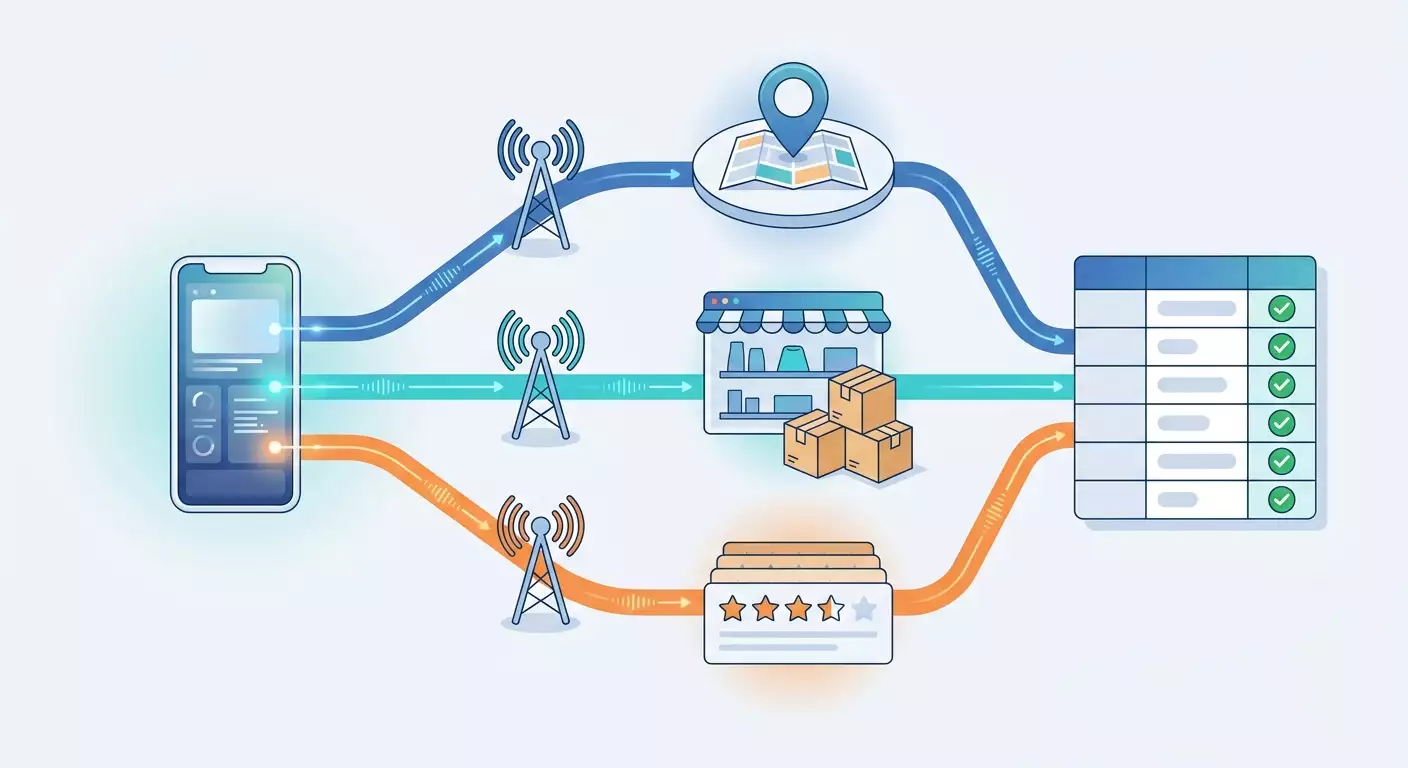
Table of contents
- Introduction: what you'll get out of this
- Preparation: tools and access
- Core concepts: how reviews are structured and why they're collected differently from catalogs
- Step 1: define the goal and build the source list
- Step 2: design the review table
- Step 3: use the official paths — dashboards and apis
- Step 4: collect reviews from maps — yandex maps, 2gis, google maps
- Step 5: collect reviews from marketplaces — wildberries, ozon, yandex market
- Step 6: collect reviews from aggregators — otzovik, irecommend, flamp, zoon
- Step 7: hook up mobile proxies and set up rotation
- Step 8: save, clean and deduplicate
- Verifying the result: checklist and testing
- Common mistakes and fixes
- Extra capabilities for the advanced
- Faq: common questions about review collection
- Conclusion
Introduction: What You'll Get Out of This
Reviews are the most honest source of information about a product, store or business. In them, people explain what they liked, what broke, why they won't come back and what they'd tell their friends. The problem is that reviews are scattered across dozens of platforms: maps, marketplaces, aggregators, industry directories. Reading them by hand for weeks is impossible. That's why you need a systematic approach.
In this guide we'll walk through how to collect reviews from three types of platforms: mapping services (Yandex Maps, 2GIS, Google Maps), marketplaces (Wildberries, Ozon, Yandex Market) and aggregators (Otzovik, iRecommend, Flamp, Zoon). You'll go the whole way: from defining the task and designing the table to a working script, hooking up mobile proxies and cleaning the data.
What you'll end up with:
- An understanding of where reviews live on each type of platform and what form they take.
- A ready-made review table structure you can load into Excel, Google Sheets or a database.
- A working Python review parser that can route through mobile proxies and avoid overloading platforms.
- Knowledge of official export paths: seller dashboards, partner APIs, exports.
- A checklist for verifying the quality of collected data and a list of typical mistakes.
Who this guide is for. It's aimed at marketers, business owners, affiliate marketers and beginner developers. If you've never written code — don't panic. Some scenarios run completely without programming, and for the scripts we give you ready-made fragments you just copy and fill in with your own values. For those who already know how to program, there's a separate section at the end with advanced techniques.
What you need to know beforehand. Being comfortable with a browser, installing software and working with spreadsheets is enough. A basic idea of what a proxy is will help, but we'll explain the key terms as we go.
An important boundary for this material. Here we talk only about reviews as a distinct type of data: text, rating, date, author, company reply. We don't cover scraping product catalogs, prices or stock — that's a separate topic with its own quirks. If you need prices, this guide isn't for you. If you need customer feedback, you're in the right place.
How much time it'll take. Setting up the environment takes about 30-40 minutes. Designing the structure and doing your first collection from one platform takes roughly an hour. A full run through all three types of platforms with proxy setup and data cleaning will take 3-4 hours. After that, collection will take minutes because you can just re-run the script.
Preparation: Tools and Access
Before collecting reviews, set up your workspace. Below is the list of what you'll need. Don't skip this section even if something seems obvious: half the problems in the following steps come from an unprepared environment.
System requirements
- A computer running Windows 10/11, macOS or Linux. Any laptop from the last 6-7 years will do.
- At least 4 GB of RAM. For collecting tens of thousands of reviews, 8 GB is better.
- A stable internet connection. Collection itself doesn't need high speed, but connection drops lead to missing data.
- About 2 GB of free disk space for Python, libraries and results.
What to install
- Python 3.11 or newer. Download the installer from the official Python website. When installing on Windows, be sure to check the "Add Python to PATH" box on the first screen. Without it, the python command won't work in the terminal.
- A code editor. VS Code works well — it's free and clear. After installing, open it once to make sure it launches.
- Python libraries. Open a terminal (PowerShell on Windows, Terminal on macOS) and run:
pip install requests pandas openpyxl. Wait for the "Successfully installed" message. This takes 1-2 minutes. - Chrome or a Chromium-based browser. Needed for inspecting platforms through developer tools. They're built in, you don't need to install anything extra.
- A spreadsheet editor. Excel, LibreOffice Calc or Google Sheets — for viewing results.
What access you'll need
- Access to mobile proxies. Sign up at mobileproxy.space, pick a plan with the geo you need (for Russian platforms — Russian carriers) and get your connection details: host, port, login, password. Also in the dashboard, find the IP rotation link — you'll need it in the rotation step.
- Access to platform dashboards if you're collecting reviews about your own business. That means Yandex Business, Wildberries seller dashboard, Ozon Seller, Yandex Market for sellers, Google Business Profile. Official exports from there are the cleanest source.
- A project folder. Create a folder on your drive, for example reviews_project, and inside it two subfolders: raw for raw data and clean for processed data. This is your safety net: raw data is never overwritten.
Tip: Right away, create a text file sources.txt in the project folder and log every URL you collect from, along with the date. A month from now you won't remember where a given table came from, and such a journal will answer all questions.
Backups
Backups here apply to data, not the system. Make it a rule: every parser run writes results to a new file with the date in the name, like reviews_ozon_2026-03-14.csv. Don't delete old files for at least a month. If a new collection gets corrupted by changes on the platform, you'll still have a working version.
Check: Type python --version in the terminal — you should see version 3.11 or higher. Then type python -c 'import requests, pandas; print(1)' — you should see the digit 1 with no errors. If both commands worked, the environment is ready.
Core Concepts: How Reviews Are Structured and Why They're Collected Differently from Catalogs
Before running anything, it's important to understand the type of data you're working with. A review isn't just text. It's a structured record with several fields, and it has quirks that product pages don't.
Key terms in plain language
- Review — a record left by a user about an object: a product, store or business. Usually contains a rating, text, date, author name and sometimes photos.
- Review target — what the review is about: a product page on a marketplace, a business on a map, a company on an aggregator. Every object has a unique identifier on the platform.
- Company reply — a response from a business representative under the review. For support quality analysis this is a separate field.
- Pagination — splitting reviews into pages or batches. The platform returns, say, 20 reviews at a time, and you need to request the next batches.
- Review parser — a program that automatically walks the required objects, pulls reviews out and puts them into a table. It can be a simple script or a ready-made service.
- Deduplication — removing duplicates. The same review can end up in your dataset twice because of pagination or re-runs.
- Mobile proxies — intermediary servers with IP addresses of mobile carriers. Requests through them look like traffic from a regular smartphone user. Platforms are friendlier to that kind of traffic because hundreds of real people sit behind one mobile IP.
- IP rotation — changing the proxy address at a set interval or on demand. Helps spread the load and avoid creating an anomalous request flow from a single address.
How review collection differs from catalog scraping
A product catalog is relatively static: the page exists, it has a price and specs. Reviews behave differently, and this affects the whole process.
- Reviews are constantly added. You need to fetch only new ones, not re-scrape everything every time.
- Reviews load separately. On most platforms the review text doesn't come in the page itself but in a separate background request. That's good news: these requests return ready-made JSON, so you don't need to parse HTML.
- Reviews contain personal data. Author name, avatar, sometimes city. There are legal requirements here — more on that below.
- Reviews are sortable and filterable. By default, the platform may show "helpful" or "new". If you don't fix the sorting, you'll get different sets on different runs.
- Reviews get edited and deleted. Moderation removes some records, authors change ratings. The collection date becomes an important field.
Legal boundaries you need to understand
Heads up: Reviews contain names and other information about people. When collecting and storing them, comply with personal data protection laws such as GDPR and, for Russian platforms, Federal Law 152-FZ: don't collect more than you need for the task, anonymize authors where the name isn't required for analysis, don't hand the database to third parties. Also read the platform's terms of service and robots.txt: some services explicitly describe acceptable automated access modes. If there's an official API or dashboard export for your task — always start there.
Another principle is respectful load. Your review parser should behave like an attentive user, not a flood of requests. Delays between requests, a reasonable number of threads and rotation through mobile proxies aren't tricks — they're the norm of responsible collection. Platforms block not automation itself but anomalous behavior that interferes with their operation.
Step 1: Define the Goal and Build the Source List
Goal of this step: get a specific, limited list of objects to collect reviews from, and figure out which fields you need. Without this step the parser turns into an endless project.
Formulate the question reviews will answer
Good collection starts with a question. Examples of workable formulations:
- "Why does competitor X have a 4.8 rating on Wildberries while we have a 4.4 in the same category?"
- "What do people most often complain about in reviews of our five coffee shops on Google Maps over the last six months?"
- "What customer pain points do people mention in reviews of online courses on Trustpilot, so we can use them in creative?"
Notice: every question has a platform, an object, a period and a type of information. That's exactly what determines your collection settings.
Build the object list
- Open the platform in your browser and find each object manually: a product page, a business on the map, a company page on an aggregator.
- Copy the full page URL from the address bar.
- Extract the object identifier from the URL. On Wildberries it's the number in the catalog URL, on Ozon it's the number after product/ and the dash at the end, on Yandex Maps it's the long number after org/ and the name, on 2GIS the number after firm/. Write it down separately.
- Put everything into sources.csv with columns: platform, object name, URL, identifier, comment.
- For the first run, limit yourself to 3-5 objects per platform. You can scale later.
Decide which fields you need
The minimum field set for any review: review ID on the platform, object ID, platform, rating, text, publication date, collection date. Extended set: author name (or its hash), has photo, pros and cons separately (available on marketplaces and Otzovik), company reply and its date, likes or "helpful" counts, product variant (size, color), verified purchase flag.
Tip: Don't chase every field at once. Collect the minimum set plus 2-3 fields you really need for your question. Each extra field is another place where the platform's markup can change and break your script.
Expected result: a sources.csv file with 5-15 rows and a documented field list. Every row has a filled-in identifier.
Possible problems: you can't tell where in the URL the identifier is. Fix: open two similar objects on the same platform and compare URLs — the matching parts are the template, the differing parts are the identifier.
Check: You can read any row of sources.csv and manually open the right object on the platform from the identifier alone. If you have to guess, go back and clarify the identifiers.
Step 2: Design the Review Table
Goal of this step: lock in a single record format that reviews from all platforms are converted into. This lets you analyze them together rather than in five different tables.
A single schema
Create a schema.txt file in your code editor and list the columns in this order:
- review_id — review ID on the platform. If the platform doesn't expose it explicitly, build it yourself from object, author and date.
- source — short platform code: yandex_maps, 2gis, google_maps, wildberries, ozon, yandex_market, otzovik, irecommend, flamp, zoon.
- object_id — object identifier from sources.csv.
- object_name — human-readable name for convenience.
- rating — number from 1 to 5. If the platform uses another scale, normalize to five stars and note this in a comment.
- text — full review text as a single line. Replace line breaks with spaces.
- pros and cons — pros and cons, if the platform separates them. Otherwise empty.
- author — author name or its anonymized hash.
- published_at — publication date in YYYY-MM-DD format.
- company_reply — company reply text, if any.
- likes — number of helpfulness marks.
- has_photo — 1 or 0.
- collected_at — collection date and time.
- url — the object page URL.
Why a single format matters
Each platform returns data in its own shape: somewhere a date is the string "3 days ago", somewhere it's a millisecond number, somewhere it's the phrase "March 14". If you don't normalize everything to a common form at intake, you'll drown in exceptions during analysis. Normalize on write, not afterward.
Anonymization rules
If you don't need author names for the task (and in 90% of analytical tasks you don't), store a hash instead of the name. In Python this is a one-liner using hashlib: take the author name, add the platform code, and turn the result into a short string. This way you can tell one author's reviews apart but don't store the name itself.
Tip: Add a raw_json column to the schema where the raw platform response for each review goes. It takes up space, but it lets you extract a field you didn't think of today without re-collecting.
Expected result: a schema.txt file with columns and an empty reviews_template.csv template with those headers.
Check: Open reviews_template.csv in Excel. You should see a single header row with exactly the columns from schema.txt and not a single extra one.
Step 3: Use the Official Paths — Dashboards and APIs
Goal of this step: export reviews about your own business in the cleanest way possible, without any scraping at all. If you're only analyzing yourself, this step may be all you need.
Yandex Business (reviews on Yandex Maps)
- Log into Yandex Business under the organization owner's account.
- In the left menu, select the "Reviews" section.
- At the top, pick the branch you need if there are multiple.
- Set the filter by period and rating.
- The review list shows text, date, rating and your replies. There's no direct export-to-table button, so for large volumes use copy-paste by pages or move on to step 4.
Wildberries: seller reviews API
Wildberries has an official API for working with reviews and questions. It's available to sellers and returns reviews for your products with rating, text, pros and cons, date, and also lets you reply.
- Log into the WB Partners seller dashboard.
- Open profile settings, the "API access" section.
- Create a new token, ticking the reviews and questions access category. Name it clearly, for example reviews_export.
- Copy the token immediately — it won't be shown again. Save it in a config.txt file in the project folder.
- Call the review-list methods with this token in the Authorization header. The docs describe pagination and date filtering parameters.
Ozon Seller API and Yandex Market
Ozon provides access to reviews via the Seller API for sellers on a subscription that includes review handling. The key is created in "Settings", subsection "API keys". Yandex Market returns reviews about seller products through a partner API by business ID, with the key issued in the seller dashboard under access settings.
Google Business Profile and 2GIS for business
Reviews about your own organization on Google Maps are available in the Google Business Profile dashboard and via its API after ownership verification. 2GIS offers owners a dashboard with review notifications and the ability to reply.
Heads up: Tokens and API keys grant access to your business account. Never paste them into code directly, store them in a separate file that isn't shared or committed to repos. If a token leaks accidentally, revoke it immediately in the dashboard and create a new one.
When official paths aren't enough
All the methods above only return reviews about your own objects. They don't work for analyzing competitors, the market or other people's products. In that case we move to collecting from public pages — that's what the following steps cover.
Expected result: if you're working with your own business — a first table of reviews from an official source normalized to the schema from step 2.
Check: The number of reviews in the export matches the dashboard count for the same period, with a margin of 1-2 records for reviews still in moderation at the time of export.
Step 4: Collect Reviews from Maps — Yandex Maps, 2GIS, Google Maps
Goal of this step: learn to find the background request a map uses to load reviews and to replay it with a script. This skill is universal and will come in handy on every other platform.
How to find the review request through developer tools
- Open the organization page in Chrome on Yandex Maps or 2GIS.
- Press F12. Developer tools will open on the right or bottom.
- Go to the Network tab. If it's empty, refresh the page with F5.
- In the filter row above the request list, click Fetch/XHR. Only background data requests remain.
- On the organization page, go to the reviews section and scroll the list down to load the next batch.
- A new request appears in the list. Its name usually contains the word review or feedback. Click it.
- Open the Preview or Response tab. You'll see a JSON structure with a nested list of reviews: text, rating, date, author.
- Open the Headers tab. Copy the full request URL (Request URL) and note the parameters: usually there's the object ID, a page number or offset, a batch size and a sort mode.
- In the same section, find the request headers: User-Agent, Accept, Referer. You'll need to pass them from the script.
Tip: Right-click the found request and pick Copy, then "Copy as cURL". You'll get a command with all the headers. It's handy to paste into a text file as a reference: if the script ever stops working, you compare its request against the reference.
Quirks of each map
- Yandex Maps. Reviews are loaded in batches with a sort setting (by newest, by rating, by relevance). Be sure to fix a single sort order, otherwise different runs will yield different sets. The date comes in machine-readable form, the rating — as a number. Company replies sit in a separate nested field.
- 2GIS. The service has a public reviews service that the site itself calls. The request contains a branch ID and limit and offset parameters. The response has text, rating, date, user name, official reply and helpfulness count. The total review count also comes back — use it to verify completeness.
- Google Maps. The toughest of the three: reviews come in a packed format inside long responses. For a few dozen objects it's easier to use the Places API with an official key — it returns a limited set of latest reviews per place, often enough for sentiment estimation. For full collection of others' objects, you'll need browser automation — that's an advanced topic.
Writing your first script
Create a collect_maps.py file and paste the skeleton. Fill in the request URL and field names from what you saw in developer tools — they differ between platforms and can change over time.
import requests, time, csv, datetime
PROXY = 'http://LOGIN:PASSWORD@HOST:PORT'
proxies = {'http': PROXY, 'https': PROXY}
headers = {'User-Agent': 'Mozilla/5.0 (Linux; Android 13) AppleWebKit/537.36 Chrome/122 Mobile Safari/537.36', 'Accept': 'application/json'}
def fetch_page(url):
    r = requests.get(url, headers=headers, proxies=proxies, timeout=30)
    r.raise_for_status()
    return r.json()
def collect(object_id, base_url, limit=20):
    offset = 0
    rows = []
    while True:
        url = base_url.format(oid=object_id, limit=limit, offset=offset)
        data = fetch_page(url)
        items = data.get('reviews', [])
        if not items:
            break
        for it in items:
            rows.append({'review_id': it.get('id'), 'object_id': object_id, 'rating': it.get('rating'), 'text': (it.get('text') or '').replace(chr(10), ' '), 'published_at': it.get('date_created'), 'collected_at': datetime.datetime.now().isoformat()})
        offset += limit
        time.sleep(2.5)
    return rows
Let's break down what's happening. The PROXY variable holds your mobile proxy details. The User-Agent header presents the request as a mobile browser — a natural fit with a mobile IP. The collect function pages through until the platform returns an empty list, and pauses 2.5 seconds after each page. The pause isn't a formality: it makes the load resemble reading by a real person.
Running and writing the result
- At the end of the file, add a call to the function for one object from sources.csv and write rows to a CSV via the csv module with utf-8-sig encoding so Excel opens the Russian text correctly.
- Open a terminal in the project folder and run
python collect_maps.py. - Watch the output. It's useful to print the page number and the number of rows collected after each request.
- Open the resulting file in Excel and look at the first 20 rows.
Expected result: a CSV file with reviews for one organization where the row count roughly matches the review counter on the organization page.
Possible problems: the response comes back with a 403 or is empty. Fix: compare headers with the copied cURL command, especially Referer and Accept. Check that the proxy is connected and responded to a test request to any site. Increase the delay to 4-5 seconds.
Check: Take three random reviews from the file and find them on the organization page by text. All three should be there, with the same ratings and dates.
Step 5: Collect Reviews from Marketplaces — Wildberries, Ozon, Yandex Market
Goal of this step: adapt the approach from step 4 to marketplaces, where reviews are attached to products and have extra fields: pros, cons, product variant, photo.
Wildberries
On Wildberries reviews are attached not to an SKU but to a unifying card ID that groups colors and sizes. This matters: if you collect by SKU, you'll get reviews for all variants at once and will need to filter by the variant field.
- Open the product card, press F12, go to the Network tab with the Fetch/XHR filter.
- Scroll to the reviews block and click "See all reviews".
- Find the request whose name contains feedbacks. The response will have a list with text, rating, date, pros and cons fields, author name, color and size, a photo flag and the seller's reply.
- Note the total review count in the response — it'll help verify completeness.
- Copy the URL and headers and plug them into the script as in step 4. Pagination may be missing here — some responses come in one piece, sometimes a very large file. Increase the timeout to 60 seconds.
Ozon
Ozon actively protects its data and checks client behavior. For reviews the site uses an internal page-composition request where reviews are one of the blocks. Practical order of operations:
- Open the product page, then go to the reviews section via the link on the card.
- In developer tools, find the request whose response contains an array with content, score or rating and author fields. It may be named differently; search by content with the panel search box (Ctrl+F inside the Network tab).
- Copy the request as cURL. Pay attention to headers and cookies: Ozon is sensitive to their absence.
- When replaying from a script, use a requests.Session so cookies persist between requests, and make the first request to the regular product page before requesting reviews. This mimics a natural user path.
- Keep delays of 4-6 seconds and change the IP through the mobile proxy every 30-50 requests.
Heads up: If the platform starts returning a browser-check page or a captcha — that's a signal to stop, not to push harder. Reduce frequency, rotate the IP via the rotation link and wait 10-15 minutes. Systematically pushing on defenses leads to blocking the whole pool of addresses and goes against platform rules.
Yandex Market
Reviews on Yandex Market come in two types: about the product (common to all sellers) and about the store. For product analysis you need the first, for service analysis the second. Both types split into pros, cons and a comment, plus rating and date. The review request is found the same way through developer tools on the reviews tab of the product card.
Normalizing to the schema
On marketplaces the text field often has three parts. Record them like this: pros into the pros column, cons into the cons column, and the general comment into text. If analysis needs one continuous text, merge the three columns with a separator during cleaning, but keep them separate in raw data.
Tip: On marketplaces, reviews with photos and verified purchases are noticeably more informative. Add a filter in the script: collect everything first, then during analysis look at a slice where has_photo equals 1. That's often where the most detailed descriptions of defects and real usage scenarios are.
Expected result: one CSV per marketplace with reviews for 3-5 products, normalized to a single schema.
Possible problems: the number of collected reviews is lower than the page counter. Cause: the platform limits result depth or only returns reviews with text, hiding ratings without comments. Fix: compare the "all ratings" and "with text" counters on the page — the discrepancy is usually explained by this.
Check: Open the file in Excel and build a pivot by the rating column. The rating distribution should roughly match what the product card shows: if the platform shows 70% fives, your dataset should be close.
Step 6: Collect Reviews from Aggregators — Otzovik, iRecommend, Flamp, Zoon
Goal of this step: learn to work with platforms where reviews are standalone articles with HTML markup rather than background JSON.
How aggregators differ
Otzovik and iRecommend build pages the classic way: each review is a separate page with a title, long text, rating, date, pros and cons, and the object page has a list of links to those reviews with short previews. Flamp and Zoon are closer to maps: an organization, a review list, batched loading. So for the first two you need HTML parsing, for the others the method from step 4 works.
Installing an HTML parsing library
Run pip install beautifulsoup4 lxml in the terminal. BeautifulSoup lets you find page elements by tags and classes, just as you find them by eye in developer tools.
Step-by-step collection from Otzovik
- Open the object page (product, company, course) on Otzovik.
- Press F12 and go to the Elements tab.
- Click the arrow icon in the top-left of the panel and click the title of the first review in the list. The HTML element highlights in the panel. Note its tag and class — that's the selector for the review link.
- The same way, find the rating elements (usually a block with stars and a numeric attribute), date and preview text.
- Scroll the page down and find the pagination block. Click the number 2 and see how the URL changes — usually a page number is added. That's the template for iteration.
- In the script: load the list page through requests with the proxy, parse with BeautifulSoup, pull review links and previews, then move to the next list page. The delay between pages is 5-8 seconds — aggregators are more sensitive than maps.
- If you need the full review text rather than a preview, do a second pass: for each link load the review page and extract the main text, pros and cons blocks, and sub-criteria ratings.
iRecommend
The logic mirrors Otzovik: an object page with a review list and separate review pages. The difference is in the markup and the fact that the rating is expressed as filled stars — count active-class star elements rather than looking for a number.
Flamp and Zoon
For these, use the method from step 4: open the organization, switch to Fetch/XHR, scroll reviews and find the background request. Flamp returns reviews with rating, text, date, official reply and usefulness. Zoon returns rating, text, date and organization reply. Both show total review counts for completeness checks.
An HTML parsing mini-example
from bs4 import BeautifulSoup
html = requests.get(page_url, headers=headers, proxies=proxies, timeout=30).text
soup = BeautifulSoup(html, 'lxml')
for card in soup.select('div.review-card'):
    title_el = card.select_one('a.review-title')
    rating_el = card.select_one('div.rating')
    date_el = card.select_one('span.review-date')
    row = {'text': title_el.get_text(strip=True) if title_el else '', 'rating': rating_el.get('data-value') if rating_el else '', 'published_at': date_el.get_text(strip=True) if date_el else '', 'url': title_el.get('href') if title_el else ''}
The class names here are illustrative — plug in the real ones you saw in the Elements panel. Empty-element checks are mandatory: if one review's markup differs, the script shouldn't crash entirely.
Tip: On aggregators, dates are often written in words: "yesterday", "3 days ago", "March 14". Create a separate date-normalization function that turns such strings into YYYY-MM-DD relative to collection date. Without it, time-based sorting won't work.
Expected result: a CSV with reviews from one or two aggregators where every review has a rating, date and text, and for Otzovik and iRecommend also a link to the full page.
Possible problems: selectors stop finding elements after a few pages. Cause: the platform returned a check page instead of the list. Fix: check the page title after each load, and on signs of a check — pause, rotate IP, retry after a few minutes.
Check: The number of reviews collected from one list page equals the number of reviews you see on that page in the browser. If fewer — one of the selectors is too narrow.
Step 7: Hook Up Mobile Proxies and Set Up Rotation
Goal of this step: make the review parser work reliably across dozens and hundreds of objects, spreading load and avoiding an anomalous flow from a single address.
Why mobile proxies specifically
All the platforms in this guide target mobile audiences: most reviews are written and read from smartphones. Mobile carrier IP addresses host hundreds and thousands of real subscribers at once. Platforms can't block such addresses without harming real users, so they're friendly to them. For review collection that means fewer checks, fewer false positives from defenses and predictable speed.
Setting up the connection
- Log into your mobileproxy.space dashboard and open your proxy list.
- Copy the host, port, login and password. Note the protocol: for requests, HTTP proxy is more convenient, but SOCKS5 is also supported with the add-on
pip install requests[socks]. - Paste the details into the PROXY variable in the script. Format: protocol, colon, two slashes, login, colon, password, at-sign, host, colon, port.
- Copy the IP rotation link from the dashboard and save it in the ROTATE_URL variable.
- Make a test request through the proxy to any service that shows your IP. The response should show a mobile carrier address, not your home ISP.
Rotation strategy
There are two approaches, and both work.
- Time-based rotation. Set an automatic IP change interval in the dashboard, for example every 5 minutes. The script does nothing — the address changes on its own. Good for long calm collections.
- Event-based rotation. The script hits ROTATE_URL at the right moment: after every N requests, when moving to a new object, or on a 429/403 response. Good when you need control.
A practical rule for reviews: change IP when moving to each new object and additionally after 40-60 requests within one object. After an IP change, pause 5-10 seconds — the carrier needs time for the new address to go live.
Error handling and retries
Add a wrapper to fetch_page: on 429, 403, 5xx or timeout — trigger rotation, wait, retry the request up to three times with increasing delays (10, 30, 90 seconds). If three attempts don't help — write the object to failed.txt and move on. That way one problem object doesn't stop the whole collection, and you re-scrape the gaps separately later.
def fetch_with_retry(url, attempts=3):
    delay = 10
    for i in range(attempts):
        try:
            r = requests.get(url, headers=headers, proxies=proxies, timeout=30)
            if r.status_code == 200:
                return r.json()
        except requests.RequestException:
            pass
        requests.get(ROTATE_URL, timeout=15)
        time.sleep(delay)
        delay *= 3
    return None
How many threads to use
For beginners — one thread. One proxy, one connection, sequential iteration. It's slow but reliable: 500-1000 reviews per hour with zero problems. Once you're confident everything is stable, add a second proxy and run a second script instance on the other half of the object list. More than 3-4 threads per platform is almost never needed for reviews.
Tip: Align your User-Agent with the IP type. If you're going through a mobile proxy, present as a mobile browser like in the step 4 example. A mismatch ("mobile IP but desktop Chrome on Windows") isn't catastrophic on its own, but consistency reduces the number of extra checks.
Expected result: a script that walks the whole sources.csv for one platform without manual intervention, changes IP between objects and logs problem objects to failed.txt.
Possible problems: after an IP change, the first requests fail with a timeout. Fix: increase the pause after rotation to 15 seconds. The proxy won't connect at all — check whether an IP allowlist is enabled in the dashboard and add your computer's address to it.
Check: Run collection over 10 objects in a row. The log should have entries about IP changes between objects, failed.txt should be empty or contain at most one object, and the total row count should be comparable to the sum of platform review counters.
Step 8: Save, Clean and Deduplicate
Goal of this step: turn a stack of raw CSVs from different platforms into a single clean table suitable for analysis.
Merging files
- Make sure all raw files are in the raw folder and have the same headers per schema.txt.
- Create a merge.py file. Using pandas, read all CSVs from the raw folder into one DataFrame: the pandas.concat function merges a list of tables.
- Check types: rating should be numeric, published_at a date. Convert via pandas.to_numeric and pandas.to_datetime with errors='coerce' so bad values become empty rather than breaking the pipeline.
Deduplication
Duplicates occur for three reasons: page overlap during pagination, re-runs and the same review posted by its author on multiple platforms. Handle in this order:
- Drop exact duplicates by the pair source and review_id — those come from pagination and reruns. Use drop_duplicates with the subset parameter.
- Find fuzzy duplicates within a platform: same object_id, same date and the first 100 characters of text. This happens when a platform changes the ID after a review edit.
- Don't delete cross-platform duplicates — flag them with a separate column. The fact that someone wrote the same thing on Otzovik and on Yandex Maps is informative on its own.
Text cleaning
- Remove double spaces and line breaks inside text.
- Remove platform boilerplate that gets into the text: "Read more", "Show more".
- Replace empty strings in pros and cons with an explicit empty value, not with the word "none" or a dash.
- Check the encoding: if you see garbled characters, the file was saved in something other than utf-8. Re-save from the raw source.
Exporting the result
Save the final table to the clean folder as reviews_all_YYYY-MM-DD.xlsx via the to_excel method and in parallel as CSV. Excel is convenient for viewing, CSV for loading into other systems. Additionally, save a separate summary file: review counts by platform, average rating by object, share of reviews with a company reply.
Tip: Add a text_len column with the text length to the clean table. Reviews shorter than 30 characters are almost always useless for cause analysis, while long 2-3 star reviews are gold: people explain in detail exactly what's wrong.
Expected result: a single clean file with reviews from all platforms, no exact duplicates, correct data types and a summary.
Possible problems: too many rows disappeared after deduplication. Cause: review_id turned out empty for every record on one platform, and they all counted as duplicates. Fix: check review_id fill rate by platform, and for the problem platform build the ID from object_id, date and a text hash.
Check: The row count in the clean file is no more than 5-10% below the sum of raw file rows. The rating column has no values outside the 1-5 range, the published_at column has no future dates.
Verifying the Result: Checklist and Testing
Before drawing conclusions from the collected reviews, make sure the collection went correctly. Go through the checklist fully.
Readiness checklist
- For each object in sources.csv there's at least one review in the clean table, or the object is in failed.txt with a reason.
- The review count per object differs from the platform counter by no more than 10%.
- The rating distribution per object roughly matches what the platform shows.
- The newest review in the table is dated no later than yesterday relative to collection date, if the object is active.
- All dates are in YYYY-MM-DD format, all ratings are numbers.
- No exact duplicates by source and review_id.
- Author names are either absent or replaced with hashes, if the task doesn't require names.
- Raw data files are saved with dates and not overwritten.
- Tokens and proxy details aren't inside the script but in a separate config file.
How to spot-test
- Pick 10 random reviews from the table using pandas sample.
- For each, open the object page on the platform and find the review by a text fragment.
- Verify the rating, date and presence of a company reply.
- If 10 out of 10 match — great. If 8-9 — check whether the discrepancies come from reviews edited after collection. If fewer than 8 — there's a systematic parsing error, go back to the relevant step.
Success indicators
Success looks like this: you can open a single table, filter it by any platform and object, sort by date and rating, and answer the original question from step 1 in five minutes. For example, see that 40% of 1-2 star reviews about the coffee shop on Yandex Maps over the last three months mention wait time, while on 2GIS the same people praise the coffee but complain about the staff. If the question gets answered, the collection did its job.
Common Mistakes and Fixes
Below is a roundup of problems almost everyone hits when setting up a review parser for the first time. Format: problem, cause, fix.
1. The script only collected the first 20 reviews
Cause: pagination isn't implemented or the offset parameter is misidentified.
Fix: go back to developer tools, scroll the review list twice and compare the URLs of two consecutive requests. The parameter that changed is the offset or page number. Make sure your script increments it by the right step.
2. All reviews come with one date — the collection date
Cause: collected_at is being written into the published_at field, or the platform returns the date under a different name.
Fix: open the raw_json of one review and find the publication date field. It may be named date, created, published, time, updatedAt. Fix the field name in the script.
3. Russian text renders incorrectly in Excel
Cause: the CSV was saved as utf-8 without a byte order mark, and Excel opens it in a different encoding.
Fix: save with utf-8-sig encoding or export straight to xlsx via to_excel.
4. The platform returns 403 on every request
Cause: required headers aren't passed, session cookies aren't set, or the request rate is too high.
Fix: compare against the reference cURL command. Use requests.Session and load a regular object page first. Increase delays to 5 seconds. Rotate the IP through the proxy and wait 10 minutes before retrying.
5. Collected ratings don't match the real ones
Cause: the platform stores the rating on a different scale (say 0-100 or 1-10), or a sub-criteria rating is stored in a separate field rather than the overall one.
Fix: compare three reviews by hand. Determine the scale and normalize to five stars by dividing and rounding. Document this in schema.txt.
6. The review count differs on every run
Cause: sorting isn't fixed, and the platform returns different sets in "by relevance" mode.
Fix: find the sort parameter in the request URL and force it to sort by date. Collect until you hit a review older than the target period.
7. The script crashes on one object and doesn't continue
Cause: no exception handling — any error stops the program.
Fix: wrap each object's processing in try-except, write the error and object ID to failed.txt and move to the next one. Collect the gaps in a separate run.
8. After a week of working, the script suddenly finds nothing
Cause: the platform changed the request URL, the JSON structure or the HTML class names.
Fix: this is a normal part of any parser's life. Repeat the request-hunting procedure from step 4 and update the URL and field names. Keep the selector and field list in a separate config file so you edit one place, not the whole codebase.
9. The proxy works but the speed is very low
Cause: responses are too large (marketplaces sometimes return thousands of reviews in one file), or the carrier's base station is overloaded during peak hours.
Fix: increase the timeout, enable compression via the Accept-Encoding header, schedule large collections for nighttime.
Extra Capabilities for the Advanced
If you've mastered the basics, here's where to grow. This block assumes you write Python confidently.
Incremental collection
Instead of a full re-scrape, store the date of the newest collected review per object. On the next run, collect with date sorting and stop as soon as you hit a review not newer than the saved date. This way a daily refresh across 500 objects takes minutes instead of hours, and platform load drops by tens of times. Keep in mind that reviews can appear backdated after moderation — use a 2-3 day overlap.
Browser automation for tricky platforms
Google Maps and some Ozon sections are easier to collect via a controlled browser: Playwright with a mobile proxy opens the page, scrolls the review list and intercepts background responses via a response event handler. You get the same JSON as in developer tools, but without having to reproduce headers and cookies by hand. Playwright supports mobile device emulation, which pairs nicely with a mobile IP. The cost is speed and memory: one browser eats 300-500 MB, so run no more than 2-3 instances.
Storing in a database
Once you pass 100 thousand reviews, CSV becomes inconvenient. Move to SQLite (built into Python, a file on disk, zero setup) or PostgreSQL. A reviews table with a unique index on source and review_id automatically protects against duplicates: inserting via INSERT with ON CONFLICT DO NOTHING handles this at the database level.
Enrichment and analysis
- Sentiment and topics. Run texts through a language model with a prompt like "extract 3 main topics and overall sentiment". Put results in separate columns. For tens of thousands of reviews, use batched processing and caching so you don't pay twice for the same text.
- Rating dynamics. Build the average rating by week for each object. A sharp drop is a signal of a problem that the reviews will explain in words.
- Company response speed. The difference between published_at and the company's reply date is a direct quality-of-support metric, for you and competitors.
- Pain dictionary for ads. Frequency analysis of nouns and adjectives in 1-2 star reviews gives a ready-made list of phrasings for creative and landing pages.
Parser health monitoring
Set up daily runs via Windows Task Scheduler or cron and add a simple check: if less than 30% of the weekly average was collected in a day, or the error rate exceeded 10% — send a notification to Telegram via a bot. That way you'll learn about a platform markup change the same day, not a month later when you need the data.
Managing a proxy pool
When working with several platforms at once, dedicate a separate mobile proxy to each. That way behavior on one platform doesn't affect the address's reputation on another. Rotate less often for maps (objects are usually small, 50-200 reviews), more often for marketplaces (thousands of reviews per card). Keep a journal: time, platform, IP, response code. Within a week the journal will show which rotation intervals are optimal for your load profile.
FAQ: Common Questions About Review Collection
Is it legal to collect reviews from public pages?
Collecting publicly available information for your own analysis isn't prohibited per se, but there are limits: platform terms of service, personal data protection laws such as GDPR and Federal Law 152-FZ in Russia, and the prohibition on interfering with the service's operation. Keep delays, anonymize authors, don't publish collected databases, and use official APIs wherever they exist. For commercial use of the data, consult a lawyer.
Can I do it without programming?
Partly. For your own objects, dashboards are enough. For small one-off tasks, browser parser extensions work: they export visible page elements into a table — you scroll reviews manually, the extension collects. For regular collection across dozens of objects, a script is still more convenient and reliable, and the ready-made fragments in this guide can be used almost unchanged.
Why mobile proxies if I only have 10 objects?
For 10 objects and a one-off collection you can try without them. But as soon as you refresh data regularly or expand the list, requests from a single home IP will start getting extra checks. A mobile proxy solves this ahead of time, and its cost doesn't compare to the time wasted on unblocking.
How many reviews can really be collected per hour?
Single-threaded with 2-5 second delays — 500 to 1500 reviews per hour depending on the batch size on the platform. Marketplaces that return hundreds of reviews in one response give more, aggregators with paginated HTML give less. For most analytical tasks that's more than enough.
How do I collect only new reviews without re-scraping everything?
Save the date of the last collected review per object, sort by date in the request and stop at the first already-known review. See the incremental collection block for details.
Reviews without text, only a rating — collect or not?
It depends on the task. For average rating and dynamics — yes, they affect the numbers. For cause analysis — no, you can filter them out during processing. Collect everything and filter at the analysis stage: re-collecting is more expensive.
What if the platform shows a captcha?
Stop collection for 10-15 minutes, rotate the IP through the proxy, reduce request frequency and check the headers. A captcha is a signal that your behavior looks atypical. The goal is to make it typical, not to push through the check.
How do I store author names without breaking the law?
Best not to store them at all. If you need to tell one author's reviews apart, use a one-way hash of the name. If names are required (for example, to reply to a client via the dashboard), store them only within work on your own organization and don't share with third parties.
How often do review parsers break?
Big platforms change internal requests and markup a few times a year. With good monitoring, a fix takes 20-40 minutes: re-find the request and update the fields. Keep selectors and URLs in a config file, and edits will be surgical.
Can one script collect from all platforms?
Yes, if you make a common skeleton (proxy, retries, schema writing) and a separate adapter function per platform that knows the request URL and field names. That's exactly how mature projects are built: one shared module and a dozen small adapters.
Conclusion
Let's sum up. You've gone the whole path from formulating a question to a clean table of reviews from three different types of platforms. You've learned to find background requests through developer tools, replay them with a script, parse HTML where JSON isn't available, hook up mobile proxies with rotation, handle errors and retry requests, merge and clean data. On top of that, you've covered the official export paths and the legal boundaries, which protects both the data and you.
The main takeaway: reviews are a distinct type of data with their own dynamics. They appear constantly, get edited, go through moderation and carry personal information. That's why a review parser isn't a one-off script but a small system: collection, raw data storage, normalization to schema, deduplication, monitoring. You've already built every piece of that system in its basic form.
What to do next:
- Expand sources.csv to your real object list and do a full collection.
- Set up a daily incremental run on a scheduler.
- Add at least one analytical layer: rating dynamics or negativity topic modeling.
- Start a change log for platforms and update the adapters as breakages occur.
Where to grow. The next level is reaction automation: team notifications about a negative review within an hour of publication, weekly competitive reports, weaving review topics into the product roadmap and ad hypotheses. You already have the data. What's left is turning it into decisions — and that's where the most interesting part of the work begins.